Crypto Card Declined? 9 Reasons and Fixes for 2026
- Your app balance is not your spendable balance. RedotPay declines if the balance does not cover the payment including network and processing fees; Bybit declines when your fiat is not in the card's base currency. Both look like “I have money” from inside the app.
- Four of the nine causes will never clear on a retry. A blocked merchant category, a region restriction, business use on a personal-only card and a wrong entry mode are structural. Retrying just burns fraud-engine goodwill.
- The fuel pump asks for up to $175, not your fuel bill. Visa's US automated fuel dispenser ceiling went from $100 to $175 in 2022, which is why a thinly funded card fails at the pump and works inside the kiosk.
- Code 05 is a non-answer by design. Stripe classes “do not honor” as a soft decline that carries no reason on purpose, so the diagnosis has to come from your own card app, not the terminal.
- Self-custodial cards fail in a way custodial ones cannot. A Gnosis Pay Safe with a queued item in its delay module can stop authorising until the queue is cleared, and that clearing needs gas and a 30-minute wait.
On this page
- Start here: the 60-second triage
- Hard decline, soft decline, and the codes behind them
- Reason 1–2: your balance is not your available balance
- Reason 3: the card is frozen, expired or deleted
- Reason 4: the merchant category is blocked
- Reason 5–6: pre-authorisation ceilings and limits
- Reason 7: 3-D Secure and the phone number nobody updated
- Reason 8: wrong entry mode, wrong PIN, wrong details
- Reason 9: structural blocks you cannot argue with
- How to make declines rare
- FAQ
A crypto card declined message tells you almost nothing, and that is deliberate. The terminal shows four words, the merchant shrugs, and the one system that knows why — your issuer — is under no obligation to say. Meanwhile the money is visibly sitting in your app. Nine causes account for nearly every decline on a crypto card in 2026, and four of them will never clear no matter how many times you tap, which means the retry reflex costs you the queue and gets you nowhere.
We read the published decline policies for six card programmes — Crypto.com, Wirex, RedotPay, Bybit, MetaMask Card and Gnosis Pay — and lined them up against how card authorisation actually works. What emerges is that crypto cards fail for two distinct classes of reason: the ordinary card-network ones every debit card shares, and a smaller set that only exists because there is a token, a chain or a conversion sitting behind the plastic. Tell those apart and most declines become a 30-second fix.
Start Here: The 60-Second Triage
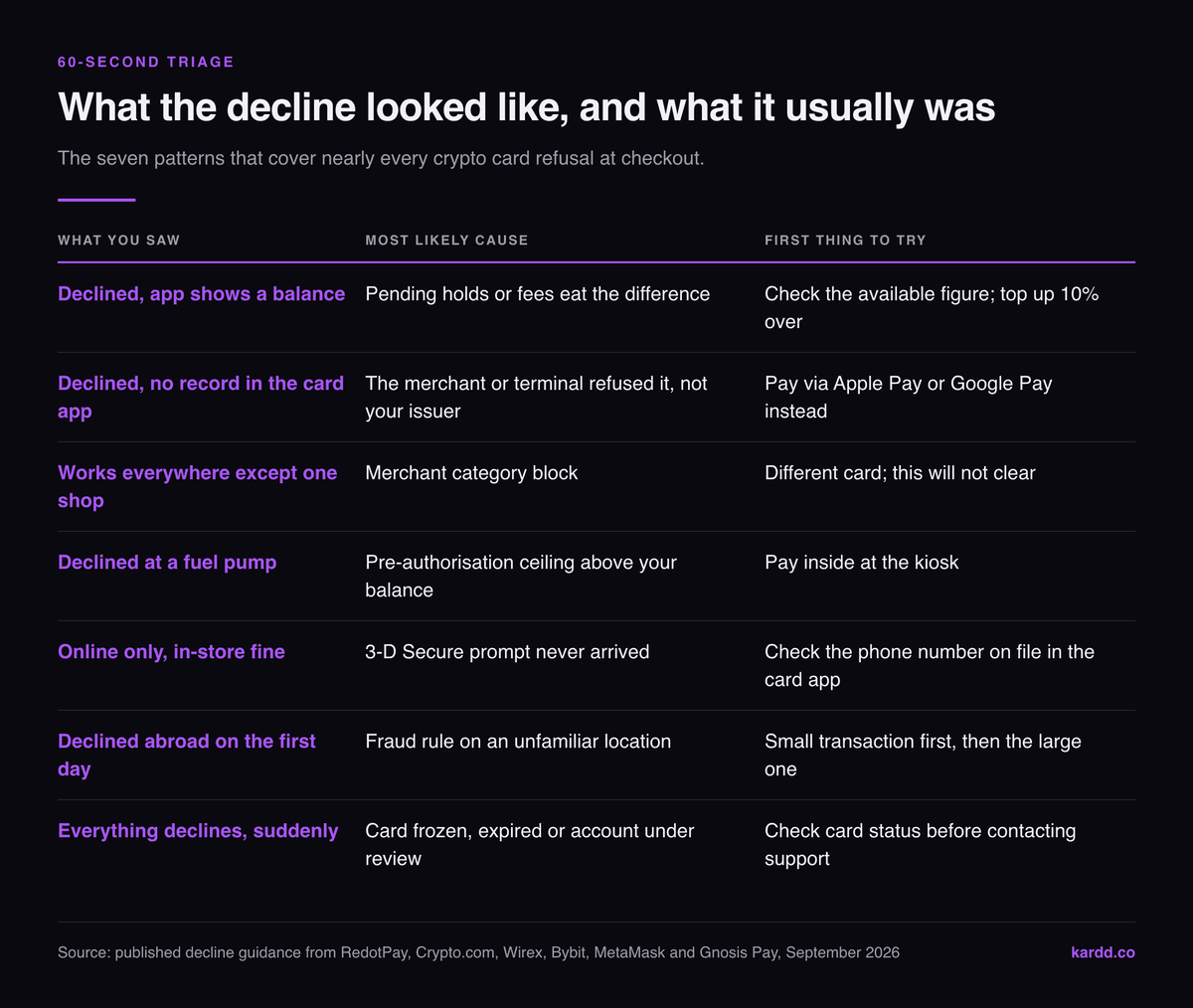
If you are standing at a till right now, work this table top to bottom. It is ordered by how often each cause turns up, not by how interesting it is.
| What you saw | Most likely cause | First thing to try |
|---|---|---|
| Declined, app shows a balance | Pending holds or fees eat the difference | Check the available figure; top up 10% over |
| Declined, no record in the card app | The merchant or terminal refused it, not your issuer | Pay via Apple Pay / Google Pay instead |
| Works everywhere except one shop | Merchant category block | Different card — this will not clear |
| Declined at a fuel pump | Pre-authorisation ceiling above your balance | Pay inside at the kiosk |
| Online only, in-store fine | 3-D Secure prompt never arrived | Open the card app, check the phone number on file |
| Declined abroad on the first day | Fraud rule on an unfamiliar location | Small transaction first, then the large one |
| Everything declines, suddenly | Card frozen, expired, or account under review | Check card status in the app before contacting support |
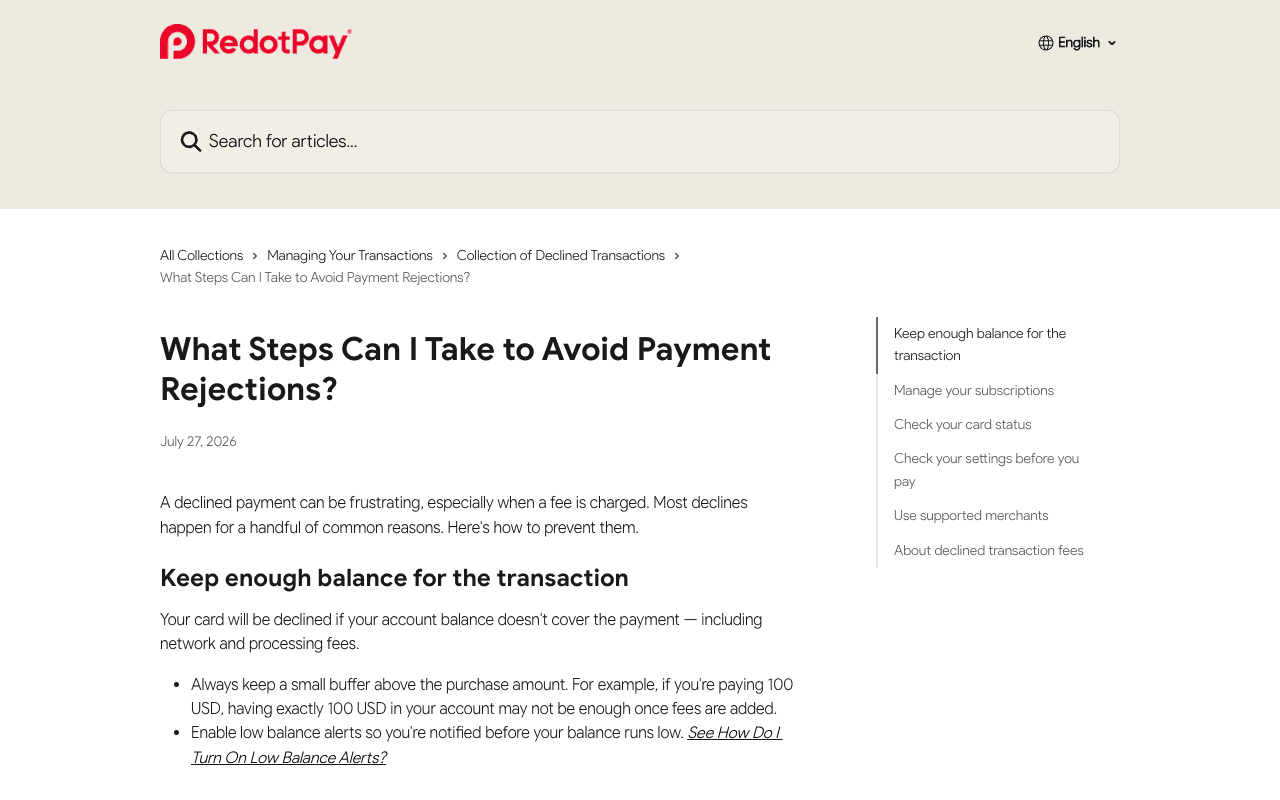
The single most useful diagnostic is whether the attempt appears in your card app at all. RedotPay makes this the pivot of its own guidance: if there is no transaction record, the payment did not reach the issuer, so nothing in your balance or settings caused it. That splits the problem in half before you have troubleshot anything.
Hard Decline, Soft Decline, and the Codes Behind Them
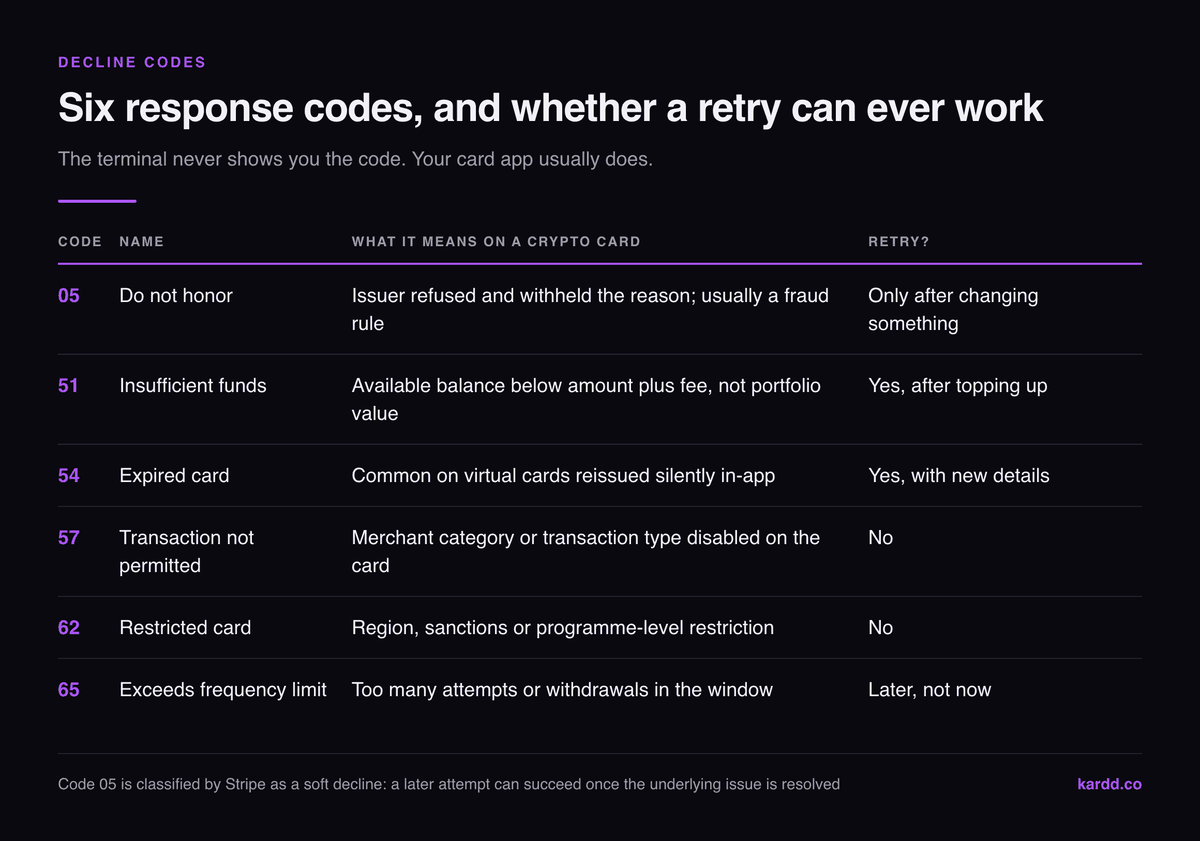
Every decline carries a numeric response code from the issuer back to the terminal. You rarely see it, but the merchant's receipt sometimes prints it and your card app sometimes stores it, and knowing which one you got tells you whether to retry at all.
| Code | Name | What it means on a crypto card | Retry? |
|---|---|---|---|
| 05 | Do not honor | Issuer refused and withheld the reason; usually a fraud rule | Only after changing something |
| 51 | Insufficient funds | Available balance below amount + fee, not portfolio value | Yes, after topping up |
| 54 | Expired card | Common on virtual cards reissued silently in-app | Yes, with new details |
| 57 | Transaction not permitted | Merchant category or transaction type disabled on the card | No |
| 62 | Restricted card | Region, sanctions or programme-level restriction | No |
| 65 | Exceeds frequency limit | Too many attempts or withdrawals in the window | Later, not now |
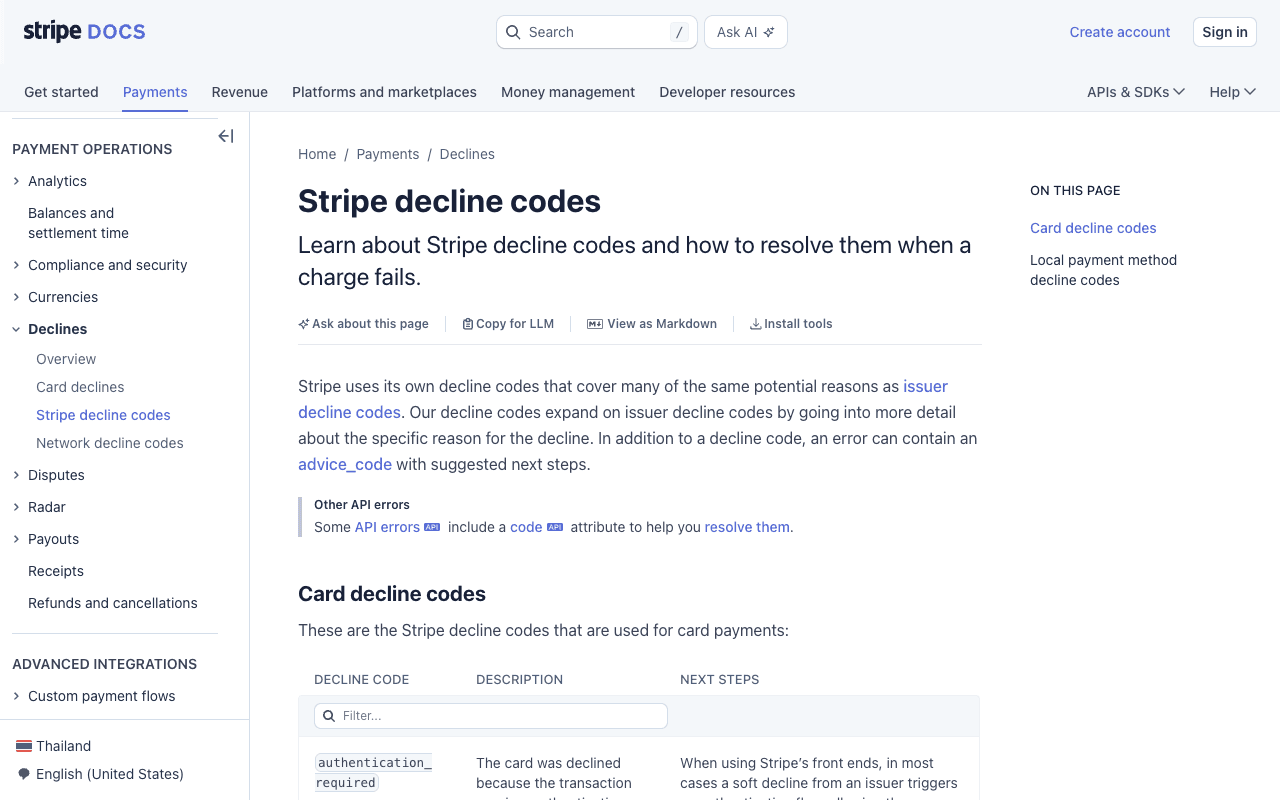
Code 05 deserves its own warning. Stripe describes it as a generic decline the issuing bank sends without specifying why, and classifies it as a soft decline — meaning a later attempt can succeed once the cardholder has sorted the underlying issue with the issuer. The practical reading is that 05 is not a verdict, it is a refusal to explain, and the explanation has to come from your own card app.
Reason 1–2: Your Balance Is Not Your Available Balance
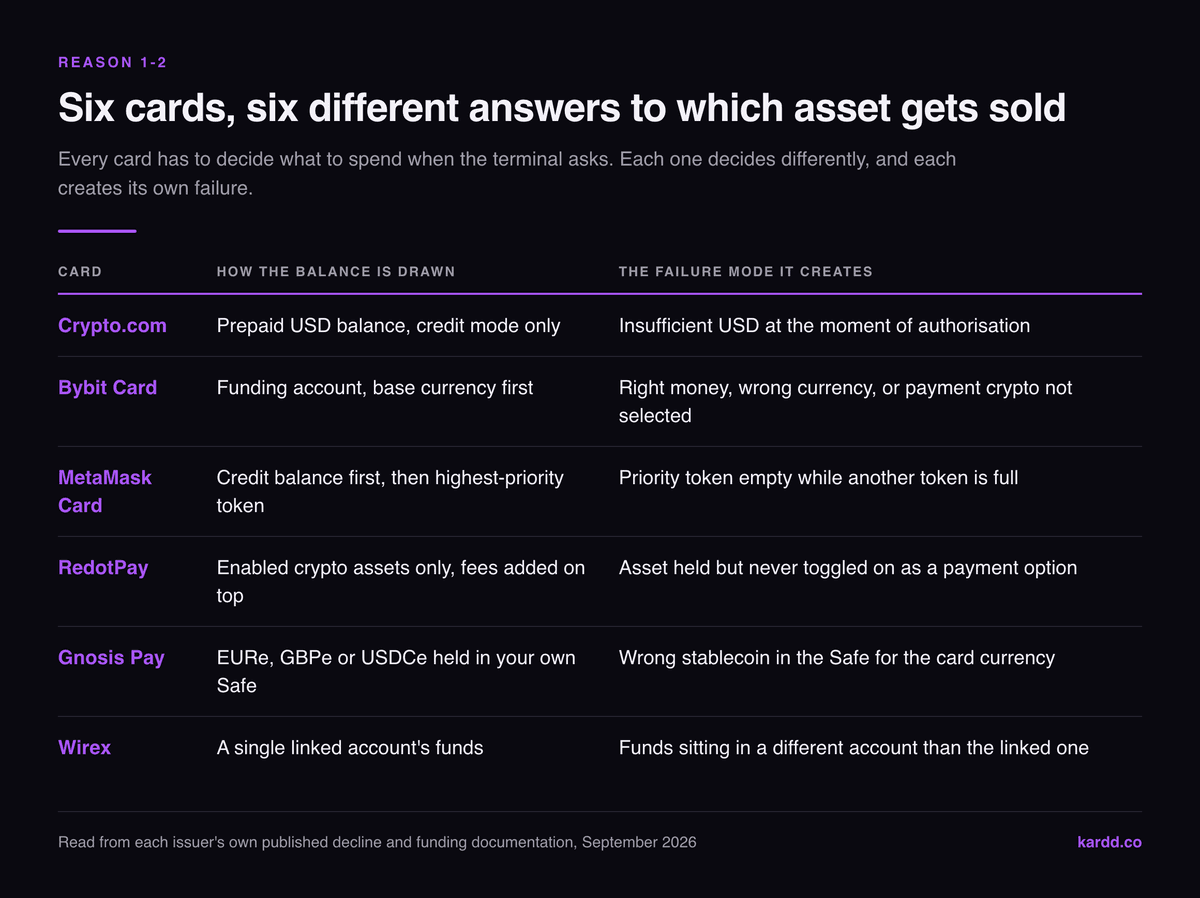
This is the largest single category, and it is larger on crypto cards than on bank cards because there are more ways for the number you see to differ from the number the terminal can draw on. Three gaps do most of the damage: pending authorisations that have not settled, the fee added on top of the purchase, and assets you hold but have not enabled as a spending source.
RedotPay states it directly: a card is declined if the account balance does not cover the payment including network and processing fees, and recommends keeping a small cushion above the purchase amount. Bybit's rule is sharper still — if your available fiat is in a different currency from the card's base currency, the transaction can be declined for insufficient base currency in the funding account even while the funding account is full.
| Card | How the balance is drawn | The failure mode it creates |
|---|---|---|
| Crypto.com | Prepaid USD balance, credit mode only | Insufficient USD at the moment of authorisation |
| Bybit Card | Funding account, base currency first | Right money, wrong currency; or payment crypto not selected |
| MetaMask Card | Credit balance first, then your highest-priority token | Priority token empty while another token is full |
| RedotPay | Enabled crypto assets only, fees added on top | Asset held but never toggled on as a payment option |
| Gnosis Pay | EURe / GBPe / USDCe held in your own Safe | Wrong stablecoin in the Safe for the card's currency |
| Wirex | A single linked account's funds | Funds sitting in a different account than the linked one |
Read that middle column as a design choice rather than a bug. Every one of these cards has to answer “which of your assets do I sell when the terminal asks for €12.40?” and each answers differently. Reason 2 is simply that you answered it wrong, in advance, in a settings screen you have forgotten about. MetaMask's token priority list and RedotPay's enabled-asset toggles are the two that catch people most often.
Reason 3: The Card Is Frozen, Expired or Deleted
Card status is boring and it is the cause people check last. RedotPay lists it plainly: the card must be active, and it may be declined if it has been frozen, deleted, expired, or reported as lost. Crypto.com names “temporarily blocked in the Crypto.com App” as its first decline reason. On virtual cards this bites hardest, because a card you froze in June to stop a subscription is invisible in your wallet in September.
Subscriptions are the specific trap. RedotPay points out that recurring charges from merchants holding your saved card details will fail if the card is frozen, expired or deleted — and that removing the card in your card app does not remove it from the merchant's file. The result is a stream of failed renewals that looks like a card problem and is actually a housekeeping problem.
An account-level block is different and rarer. Wirex ties blocked accounts to suspicious activity, security breaches or verification issues, and routes those to support rather than self-service. If everything declines rather than some things, you are in that category, and our guide to what to do when a crypto card freezes your funds is the right next read.
Reason 4: The Merchant Category Is Blocked
Every merchant carries a four-digit merchant category code, and card programmes decide which codes they will authorise. This is the decline that never clears, and almost no consumer guide says so.
Crypto.com lists an unsupported MCC under the card's usage policy as a decline reason for its USD card. Gnosis Pay states that the card is intended for personal use and that business-related expenses may be declined, alongside restrictions on certain merchant categories. RedotPay observes that some gaming platforms simply do not accept its card type for in-game purchases and advises using another payment method on those platforms rather than retrying.
| Category | Who blocks it, in their own words | Will it clear? |
|---|---|---|
| Business spending on a personal card | Gnosis Pay: card intended for personal use | No |
| In-game credits and gaming platforms | RedotPay: some platforms do not accept this card type | No |
| Unsupported MCCs generally | Crypto.com: MCC not supported under the card's usage policy | No |
| Installment payment plans | Crypto.com: not supported on a prepaid card | No |
| Merchant's own card-type rules | RedotPay: terminal may not accept your card's network | Sometimes, via a wallet |
The one genuinely useful workaround sits in that last row. RedotPay's own advice, when a store's terminal will not take the card's network, is to add the card to Apple Pay or Google Pay and pay through the wallet instead — which routes the transaction differently and sometimes succeeds where the physical card failed. We cover the wallet route in detail for crypto cards on Google Pay.
Reason 5–6: Pre-Authorisation Ceilings and Limits
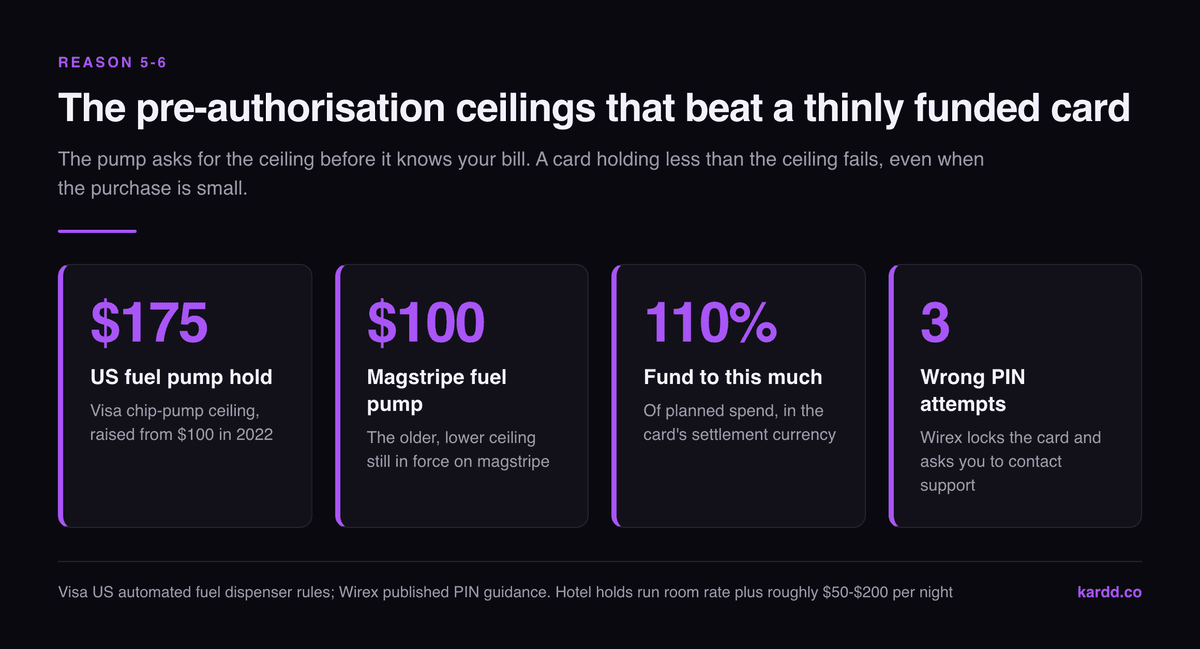
Some merchants do not ask for the price. They ask for a ceiling, because they do not yet know the price. A fuel pump has no idea how much you will pump; a hotel does not know what you will take from the minibar. So the terminal requests a hold, and your card is judged against that hold rather than against your actual spend.
| Where | Typical hold requested | Release | What to do instead |
|---|---|---|---|
| Fuel pump (US, Visa) | Up to $175 at a chip pump; $100 at magstripe | 1–3 business days | Pay inside at the kiosk |
| Hotel check-in | Room rate plus roughly $50–$200 per night | 3–7 days credit, up to 14 on debit | Fund for the whole stay, not one night |
| Car rental | Deposit far above the rental price | Merchant may hold up to 30 days | Many crypto cards are refused outright here |
| Restaurant tip adjustment | Bill plus a tip margin | On settlement | Keep headroom above the printed total |
The fuel figure is the one worth memorising. Visa's US automated fuel dispenser rules cap the pre-authorisation at $175 at a chip-capable pump, raised from $100 in 2022 when fuel prices climbed. A crypto card carrying $40 will be declined at that pump while happily paying $35 of fuel at the kiosk inside, because the kiosk authorises the real amount. This is not a crypto problem at all — it is a card problem that crypto cards meet more often, because people keep them thinly funded on purpose.
Reason 6 is the plainer sibling: an ordinary limit. Wirex names an exceeded transaction limit as a distinct decline cause; RedotPay names both single-transaction and daily limits, and adds that the transaction type itself — online, in-store, ATM — must be enabled on the card. Gnosis Pay declines above the daily or per-transaction limit. ATM declines have their own layer on top, since the machine imposes limits of its own; we priced that side in our crypto card ATM withdrawal fee comparison.
Reason 7: 3-D Secure and the Phone Number Nobody Updated
Online declines that make no sense are usually authentication, not money. Under strong customer authentication rules the merchant can require a 3-D Secure step, and if that challenge cannot reach you, the transaction fails with no useful message at the checkout.
Wirex's guidance is specific and worth copying regardless of which card you hold: check that 3DS is switched on in the security settings under Preferences, and if the problem persists, try a different device or a different internet connection. That last part surprises people — a VPN exit in another country, or a browser blocking third-party frames, is enough to break the challenge window.
Reason 8: Wrong Entry Mode, Wrong PIN, Wrong Details
A surprising share of declines are the terminal and the card disagreeing about how the payment should be run. Crypto.com is unusually explicit here: its USD card operates exclusively in credit mode, so a purchase attempted with any other method is declined, and installment payments are not supported on a prepaid card at all. Choose “debit” at a US terminal and you get a decline that has nothing to do with your balance.
PIN failures are the in-store equivalent, and they escalate. Wirex tells users to contact support after three incorrect PIN attempts, which is the point at which most programmes lock the card. Gnosis Pay documents a subtler version: a PIN that works on some terminals and not others is usually the difference between the online PIN and the card's offline PIN, which are separate values.
Online, the boring cause remains the biggest: Crypto.com and Wirex both list an incorrect card number, cardholder name, expiry date or CVV, and a single mistyped digit produces the same failure as a genuine block. Retype the details once before assuming a policy problem.
Reason 9: Structural Blocks You Cannot Argue With
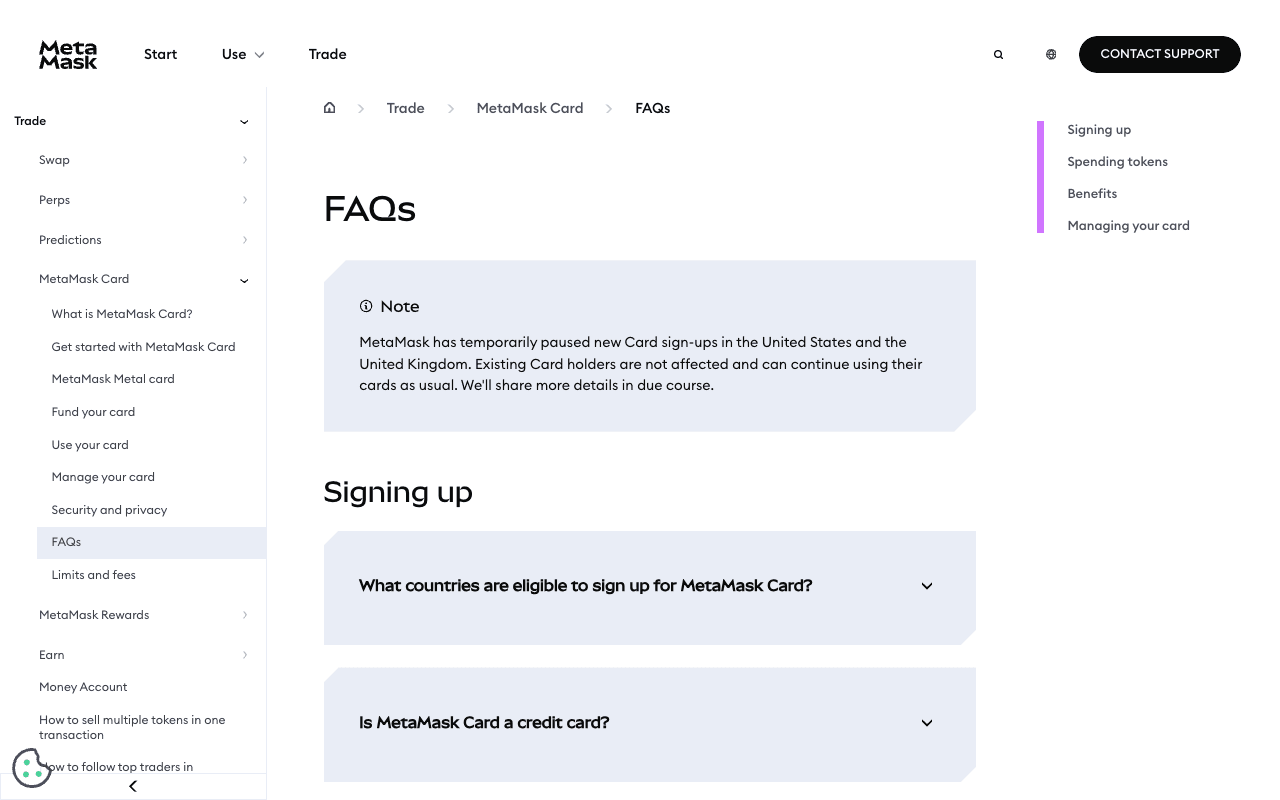
The last category is the one where troubleshooting is the wrong activity. Gnosis Pay states that its card cannot be used in certain countries or territories because of international sanctions and financial regulations. MetaMask Card is available only in certain regions, and its own FAQ notes that users in New York and Texas cannot access the Solana and Monad networks the card otherwise supports, while new signups have been paused in the US and UK. None of that is a fault you can clear.
Self-custodial cards add a failure mode that custodial ones structurally cannot have. On Gnosis Pay the card spends from a Safe smart account governed by a Zodiac delay module, and actions started in the web app enter a delay queue. While an item sits in that queue, card authorisation can stop. Clearing it means calling the skipExpired function on the delay module from any wallet holding xDAI on Gnosis Chain, and it only works at least 30 minutes after the original attempt; the queue is empty when queueNonce and txNonce return the same number.
How to Make Declines Rare
Six habits remove most of the nine causes above. None of them costs anything.
- Fund to 110% of planned spend, in the card's settlement currency, so fees and conversion never tip you under.
- Audit your payment settings once. Enabled assets, token priority, and which transaction types are switched on. Then leave them alone.
- Verify the phone number and email on file, because that is where 3-D Secure lands.
- Carry a second card for the categorical blocks — fuel pumps, car rental deposits, business spend.
- Test a new merchant small. RedotPay's own advice is to try a smaller transaction when you are unsure a merchant is supported.
- Never retry an identical failed payment twice. Change the amount, the route or the input first.
The one that pays for itself immediately is the second card. A no-KYC card is a poor primary for anything with a pre-authorisation ceiling, and an exchange card is a poor primary for privacy — carrying both means categorical declines stop being events. Our 2026 comparison of every crypto card worth using is built for exactly that pairing exercise.
Final Take
A decline is not a verdict on your card. It is a one-word summary of a decision made somewhere between the terminal, the network and your issuer, and the terminal is the only one of the three that will not say which. Sort the nine causes into “fixable in 30 seconds” and “structural, get a different card” and the whole thing stops being mysterious.
One question does most of the work: does the attempt appear in your card app? If it does, this is a balance or a setting. If it does not, the merchant never reached your issuer.
Find a card that fits how you actually spend
Kardd tracks limits, fees, KYC level and availability across the whole crypto card market — so you can pick a primary and a backup that fail in different ways.
Kardd may earn a commission on sign-ups. Affiliate disclosure.
Related Articles
- Crypto Card Frozen Funds: The Emergency Guide
- How Do Crypto Cards Actually Work?
- No-KYC Crypto Card Fees Compared
- Crypto Card ATM Withdrawal Fees 2026: 9 Cards Compared
- Are No-KYC Crypto Cards Safe?
- What Is a Crypto Card? The 2026 Pillar Guide
Frequently Asked Questions
Why was my crypto card declined when I have money in the app?
Because the app balance and the spendable balance are two different numbers. Pending authorisations, the fee added on top of the purchase, and assets you hold but have not enabled as a payment source are all excluded. RedotPay states plainly that a card is declined if the account balance does not cover the payment including network and processing fees. Bybit declines when the available fiat differs from the card's base currency and there is not enough base currency in the funding account.
What does decline code 05 “do not honor” mean on a crypto card?
It means the issuer refused the transaction and deliberately did not say why. Stripe describes it as a generic decline the issuing bank sends without specifying a reason, and classifies it as a soft decline: once the cardholder resolves the underlying problem, a second attempt can succeed. On a crypto card the usual hidden cause is a fraud rule triggered by an unfamiliar country, an unusual amount or a rapid sequence of attempts.
Why does my crypto card get declined at the gas pump?
Because a fuel pump asks to hold far more than you intend to spend. Visa's US automated fuel dispenser rules allow a pre-authorisation of up to $175 at a chip-capable pump, raised from $100 in 2022, and the pump requests that hold before it knows your final amount. A card funded with $40 fails that check even though the fuel would only cost $35. Crypto.com's guidance is to pay inside at the kiosk, which authorises the real amount instead of the ceiling.
Can a crypto card be declined because of the merchant type?
Yes, and this is one of the few declines that will never clear on retry. Crypto.com lists an unsupported merchant category code as a decline reason for its USD card. Gnosis Pay states the card is intended for personal use, so business spending may be declined, and that certain merchant categories are restricted. RedotPay notes that some gaming platforms do not accept its card type for in-game purchases. If the block is categorical, the only fix is a different card.
Why did my self-custodial crypto card stop working after I used the web app?
On Gnosis Pay the card spends from a Safe smart account governed by a Zodiac delay module. Actions initiated in the web app enter a delay queue, and while an item sits in that queue the card can stop authorising. Clearing it means executing the skipExpired function on the delay module from any wallet holding xDAI on Gnosis Chain, and it only works at least 30 minutes after the original attempt. The queue is empty when queueNonce and txNonce read the same number.
Does a declined crypto card mean my account is frozen?
Usually not. Most declines are mechanical: available balance, a limit, a merchant category, a failed 3-D Secure prompt. A genuine freeze looks different, because every transaction fails, the app shows a status change on the card itself, and support references a review. Wirex lists blocked accounts as a distinct cause tied to suspicious activity, security breaches or verification issues. If only some transactions fail, you are troubleshooting a rule, not a freeze.
How many times can I retry a declined crypto card?
Once, and only after changing something. Repeated identical attempts are exactly the pattern fraud engines are built to catch, so the second and third try make a soft decline harder to clear rather than easier. In store, three wrong PIN entries is the usual point at which the card locks — Wirex tells users to contact support after three incorrect PIN attempts. Change the input, the amount or the payment route before you try again.
Which crypto cards decline the least?
Cards that hold a fiat or stablecoin balance in the card's own base currency decline least, because they remove the two largest causes at once: conversion at the moment of authorisation, and a mismatch between the asset you hold and the asset the card can spend. Cards that convert at checkout, or that require you to nominate a payment asset in advance, add a step that can fail. Custody model matters less than whether the money is already sitting in the currency the terminal will ask for.
Sources
Issuer policies checked September 2026 against their own help centres: Crypto.com: why was my USD Card transaction declined, RedotPay: avoiding payment rejections, Wirex: troubleshooting card payment issues, MetaMask Card FAQ, plus the Gnosis Pay and Bybit help centres, whose decline pages are served behind a bot challenge and were read through their published summaries. Decline-code behaviour follows Stripe's reference on “do not honor” refusals; the Gnosis Pay delay-queue procedure follows Zeal's guide to clearing it; fuel-pump limits follow Visa's automated fuel dispenser authorization bulletin. Policies change without notice — verify with your issuer before relying on a figure.