Best Crypto Debit Card in 2026: 10 Cards Compared (KYC and No-KYC)
Crypto debit cards have gone from a niche experiment to a legitimate way to spend Bitcoin, Ethereum, and stablecoins at 80 million+ merchants worldwide. But the market in 2026 is fragmented — and picking the wrong card means overpaying on fees, dealing with frozen funds, or missing out on rewards that could save you thousands per year.
This guide compares every major crypto debit card available in 2026 — from established KYC-verified options like Crypto.com and Coinbase to privacy-focused no-KYC cards like XKard and SolCard. We break down fees, limits, rewards, supported chains, and real-world usability so you can pick the right card for how you actually spend.
What Is a Crypto Debit Card?
A crypto debit card is a prepaid or linked Visa or Mastercard that lets you spend cryptocurrency at any merchant that accepts card payments. When you tap or swipe, the card converts your crypto to local fiat currency in real time — the merchant receives dollars, euros, or pounds, while your crypto balance decreases.
There are two main categories:
- KYC-verified cards — require government ID, selfie, and sometimes proof of address. Offered by regulated companies like Crypto.com, Coinbase, and BitPay. Lower fees, higher limits, and access to rewards programs.
- No-KYC cards — require only an email address (or nothing at all). Offered by privacy-focused providers like XKard, SolCard, and BingCard. Higher fees and lower limits, but no identity documents needed.
Both types work at the same merchants — anywhere Visa or Mastercard is accepted. The difference is in the onboarding, the fees, the limits, and the level of regulatory protection you get.
Best Crypto Debit Cards Compared (2026)
We tracked every major crypto debit card operating in March 2026. Here’s the full side-by-side comparison — KYC cards and no-KYC cards together for the first time.
| Card | KYC Required | Top-Up / Tx Fee | Monthly Limit | Cashback / Rewards | Crypto Supported | Apple Pay | Type |
|---|---|---|---|---|---|---|---|
| Crypto.com | Full KYC | 0% (with CRO stake) | $25,000+ | Up to 5% CRO back | BTC, ETH, CRO, 350+ | Yes | Virtual + Physical |
| Coinbase Card | Full KYC | 2.49% conversion | $25,000+ | Up to 4% back (select crypto) | BTC, ETH, USDC, 100+ | Yes | Virtual + Physical |
| BitPay Card | Full KYC | 1% conversion | $10,000+ | None | BTC, ETH, DOGE, 15+ | Yes | Virtual + Physical |
| Nexo Card | Full KYC | 0% (credit line) | $50,000+ | Up to 2% back | BTC, ETH, NEXO, 40+ | Yes | Virtual + Physical |
| Bybit Card | Full KYC | 0.9% | $100,000 | Up to 10% on select brands | BTC, ETH, USDT, 20+ | Yes | Virtual + Physical |
| Wirex Card | Full KYC | 0% (in-app exchange) | $15,000+ | Up to 8% Cryptoback | BTC, ETH, XRP, 50+ | Yes | Virtual + Physical |
| Binance Card | Full KYC | 0.9% | $8,700 | Up to 8% BNB back | BTC, ETH, BNB, 15+ | Yes | Virtual + Physical |
| Bitget Card | Full KYC | 1% | $50,000 | None | BTC, ETH, USDT, 20+ | Yes | Virtual + Physical |
| XKard | Zero KYC | 2.3–4.5% | $5,000 (Whale: $100K) | None | USDT, USDC, BTC | Yes | Virtual + Physical |
| SolCard | Zero KYC | 1.5–3% | $3,000 | None | SOL, USDC (Solana) | Yes | Virtual |
| BingCard | Zero KYC | 3–5% | $1,000 | None | USDT, BTC | No | Virtual |
| KAST | Email only | 2.5% | $5,000 | None | USDT, USDC, ETH | Yes | Virtual + Physical |
| Laso Finance | Email only | 2% | $3,000 | None | USDT, USDC | Yes | Virtual |
| Goblin Card | Zero KYC | 4–8% | $10,000 | None | BTC, USDT, ETH | No | Virtual + Physical |
| COCA | Email only | 1.5–2.5% | $5,000 | None | USDT, USDC, BTC, ETH | Yes | Virtual |
Table updated March 2026. Fees and limits change frequently — check Kardd.co/cards for real-time data.
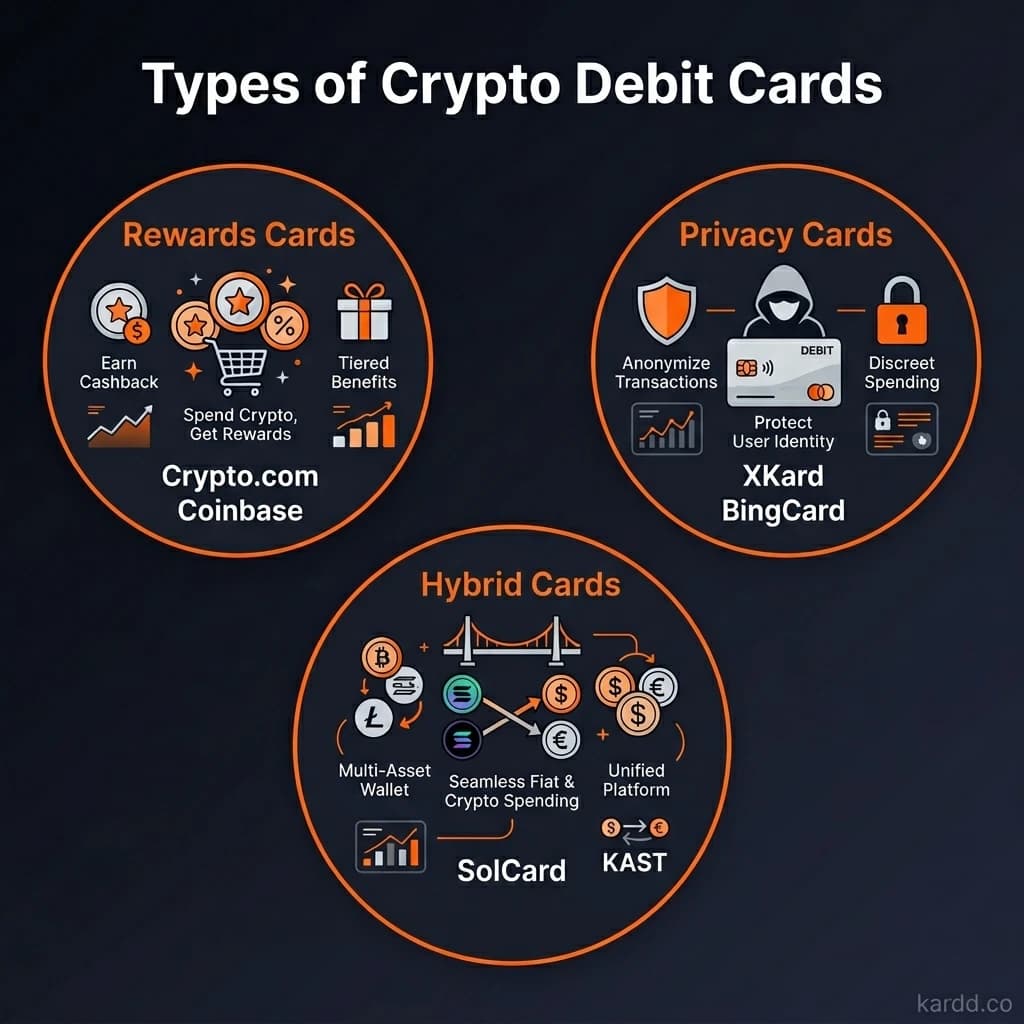
Best for Rewards: Crypto.com
If earning rewards is your top priority, Crypto.com remains the undisputed leader in 2026. Their tiered card system offers up to 5% cashback in CRO tokens on every purchase — plus perks like free Spotify, Netflix, and airport lounge access at higher tiers.
The catch: you need to stake CRO tokens to unlock the best rewards. The entry-level Ruby Steel card requires a $400 CRO stake for 2% cashback. The Obsidian card — with 5% back and all the perks — requires a $400,000 stake. For most users, the Jade Green ($4,000 stake, 3% back) hits the sweet spot.
Pros
- Up to 5% cashback on all spending — the highest in the market
- Zero transaction fees with CRO staking
- Supports 350+ cryptocurrencies
- Free ATM withdrawals (up to monthly limit)
- Available in 50+ countries
Cons
- Requires full KYC (ID, selfie, address verification)
- Best rewards locked behind significant CRO staking
- CRO price volatility means your stake value fluctuates
- 2-3 week wait for physical card delivery
Best for: Regular crypto spenders who want to maximize rewards and don’t mind full identity verification.
Best for Simplicity: Coinbase Card
Coinbase Card takes the opposite approach to Crypto.com — no staking, no tiers, no complexity. You connect your Coinbase account, choose which crypto to spend, and the card handles the conversion at the point of sale. It will auto-convert any of your 100+ supported assets to USD when you tap.
The trade-off is in the fees. Coinbase charges a 2.49% spread on crypto conversions. But if you load the card with USDC (which converts at 1:1 with no fee), you effectively pay nothing. This makes USDC-loaded Coinbase Card one of the cheapest crypto spending options available — KYC or no-KYC.
Pros
- Zero fees when spending USDC
- Up to 4% back on purchases (in select crypto)
- Backed by a publicly traded, US-regulated company
- No staking required
- Instant virtual card — physical card also available
Cons
- Full KYC required (Coinbase account verification)
- 2.49% fee on non-USDC crypto conversions
- US-only for card features (availability varies by region)
- Rewards selection rotates and can be limited
Best for: US-based users who already have Coinbase accounts and want the simplest crypto spending experience.
Best for Privacy: No-KYC Cards (XKard, SolCard, BingCard)
For users who prioritize financial privacy, no-KYC crypto cards let you spend crypto without submitting government identification. These cards require only an email address (or nothing at all) to get started — you can go from signup to spending in under five minutes.
The trade-off is clear: higher fees and lower limits compared to KYC-verified options. But for many users — freelancers paid in crypto, privacy advocates, or people in regions with limited banking access — the convenience and privacy are worth the premium.
XKard — The Best All-Around No-KYC Option
XKard is the most feature-complete no-KYC card on the market. It supports Apple Pay and Google Pay with zero verification, offers both virtual and physical cards, and has tiered limits up to $100,000/month on the Whale plan. Top-up fees of 2.3–4.5% are competitive for the no-KYC category.
SolCard — Best for Solana Users
If your crypto holdings are primarily on Solana, SolCard is purpose-built for you. It accepts native SOL and SPL tokens (including USDC on Solana), charges just 1.5–3% on top-ups, and supports Apple Pay. The $3,000 monthly limit is sufficient for everyday spending.
BingCard — Lowest Barrier to Entry
BingCard requires absolutely nothing to start — no email, no phone, no verification of any kind. You load USDT or BTC and get a virtual Visa instantly. The downsides: no Apple Pay support, $1,000 monthly limit, and higher 3–5% fees. Best used as a backup card or for one-off purchases.
Best for High Limits: Goblin Card & Bitget
If you need to move serious volume — $10,000 to $100,000+ per month — your options depend on whether you’re willing to verify your identity.
With KYC: Bitget & Nexo
Bitget offers $50,000/month limits with full KYC verification and a straightforward 1% transaction fee. Nexo goes even higher — effectively unlimited spending via their crypto-backed credit line model. You don’t sell your crypto; you borrow against it. This means no taxable event on spending, which is a significant advantage for large holders.
Without KYC: Goblin Card & XKard Whale
Goblin Card offers $10,000/month with zero verification — the highest no-KYC limit that doesn’t require any tiered upgrade. The fees are steep (4–8%), but for users who need high-limit anonymous spending, it’s one of few options.
XKard’s Whale tier pushes to $100,000/month, but it requires a VIP application process (still no government ID). For high-volume users, the effective fee drops below 2.5%.
KYC vs No-KYC: Which Type Is Right for You?
This is the fundamental choice in crypto debit cards, and there’s no universally correct answer. Here’s how to think about it:
| Factor | KYC Cards | No-KYC Cards |
|---|---|---|
| Setup time | 1–7 days | Under 5 minutes |
| Fees | 0–2.5% | 1.5–8% |
| Monthly limits | $10,000–$100,000+ | $1,000–$10,000 |
| Rewards | Up to 8% cashback | None |
| Privacy | Low — full identity on file | High — email only or anonymous |
| Shutdown risk | Low — regulated issuers | Medium to High |
| Customer support | Full support teams | Limited (Telegram/email) |
| Availability | Region-restricted | Global (usually) |
Choose KYC cards if: You’re a regular spender who wants the lowest fees, highest limits, and cashback rewards. You’re comfortable with identity verification and want the stability of a regulated provider.
Choose no-KYC cards if: You value financial privacy, need a card quickly, live in a region without access to KYC card providers, or want to keep your crypto spending separate from your identity. Accept the higher fees as the cost of privacy.
The smart play: Use both. A KYC card for daily spending (lower fees, rewards) and a no-KYC card as a backup or for purchases where you want privacy. Many experienced crypto users maintain 2–3 cards across both categories.
For a deeper dive into this comparison, read our full breakdown: No-KYC vs KYC Crypto Cards: What’s the Real Difference?
How to Choose the Right Crypto Debit Card
With 15+ options on the market, narrowing down to the right card comes down to five factors:
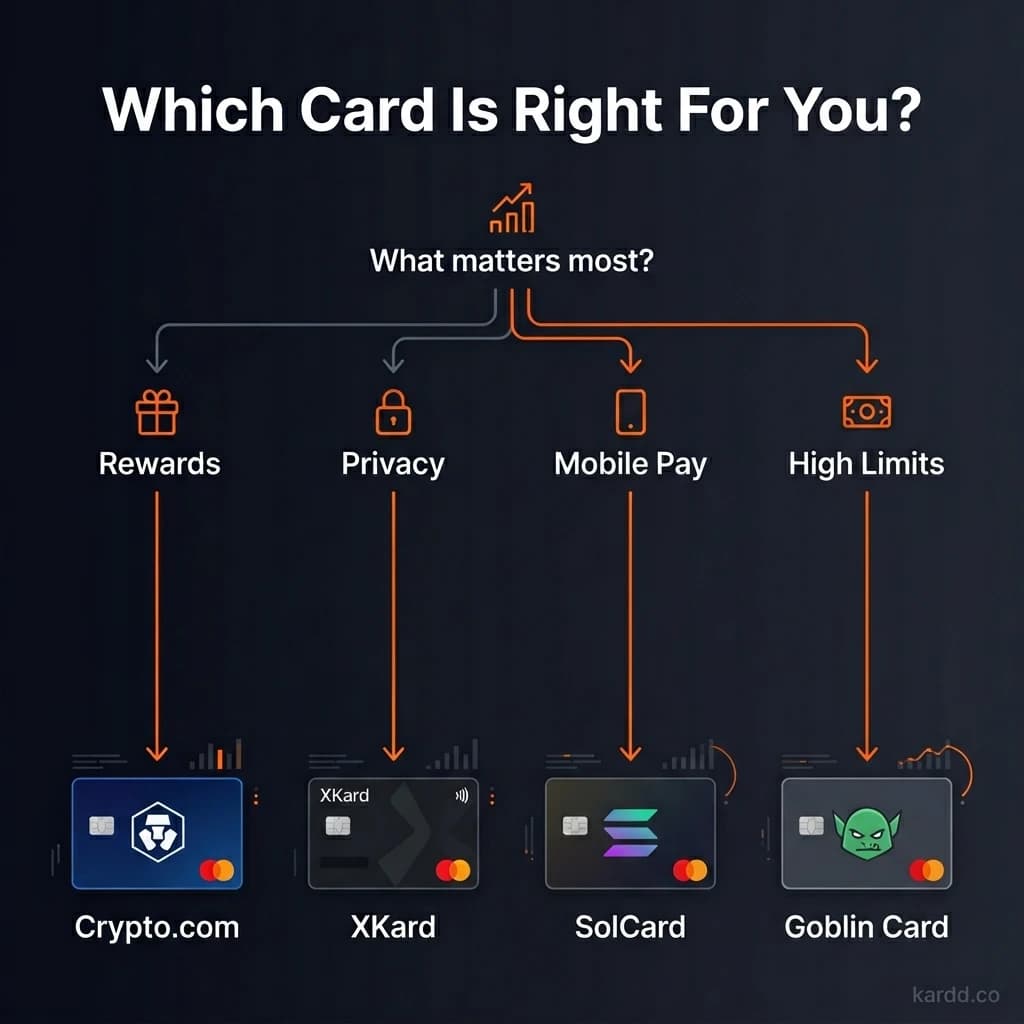
- Your spending volume. Spending under $1,000/month? Almost any card works. Over $5,000/month? You need a KYC card or XKard Whale tier to avoid hitting limits.
- Your privacy needs. If you don’t want your crypto spending linked to your government ID, no-KYC cards are your only option. If privacy isn’t a concern, KYC cards are cheaper and more stable.
- Your primary cryptocurrency. Hold mostly SOL? SolCard is built for you. Hold BTC and ETH? Crypto.com or Coinbase support them natively. Hold USDT on Tron? XKard or BingCard are your best bets.
- Your region. Coinbase Card is US-focused. Crypto.com is available in 50+ countries but not all. No-KYC cards typically work globally without regional restrictions.
- Mobile pay requirements. If you want to tap-to-pay with your phone, confirm Apple Pay or Google Pay support before signing up. Most modern cards support it, but some no-KYC options (BingCard, Goblin) do not.
Frequently Asked Questions
What is the best crypto debit card in 2026?
It depends on your priorities. For rewards, Crypto.com offers up to 5% cashback with CRO staking. For simplicity, Coinbase Card auto-converts any crypto at the point of sale. For privacy without KYC, XKard offers zero-verification cards with Apple Pay and Google Pay support.
Can you get a crypto debit card without KYC?
Yes. Several crypto debit cards operate without identity verification, including XKard, SolCard, BingCard, and Goblin Card. These no-KYC cards typically have lower spending limits ($1,000–$10,000/month) and higher fees (2–8%) compared to fully verified options. See our full fee comparison.
Do crypto debit cards work with Apple Pay?
Many crypto debit cards now support Apple Pay, including Crypto.com, Coinbase Card, XKard, SolCard, KAST, and COCA. XKard is notable for supporting both Apple Pay and Google Pay without requiring any KYC verification.
Are crypto debit cards safe to use?
KYC-verified cards from established companies like Crypto.com and Coinbase are generally safe, backed by regulatory compliance and deposit protections. No-KYC cards carry more risk — card programs can be shut down by payment networks, and funds may be frozen. The best practice is to never load more than you plan to spend in the short term, and diversify across multiple cards.
What fees do crypto debit cards charge?
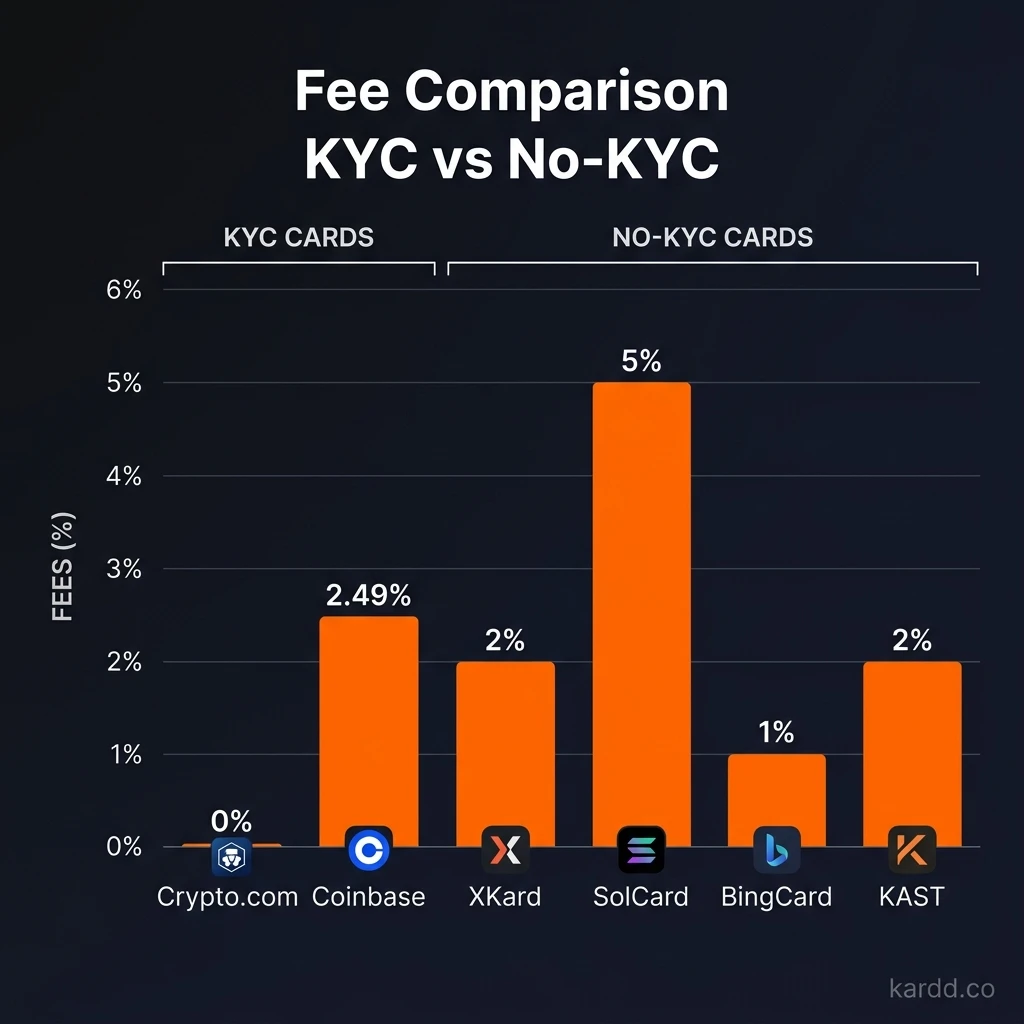
Fees vary widely. KYC cards like Crypto.com charge 0% on most transactions if you stake CRO, while Coinbase charges no fees when spending USDC. No-KYC cards charge 2–8% top-up fees plus potential FX spreads and ATM withdrawal fees. Always factor in the total cost — not just the advertised rate.
The Bottom Line
The crypto debit card market in 2026 is more competitive than ever. If you want the lowest fees and best rewards, KYC-verified cards from Crypto.com, Coinbase, or Nexo are hard to beat. If you value privacy and don’t want your spending linked to your identity, no-KYC options like XKard, SolCard, and KAST deliver.
The smartest approach? Don’t limit yourself to one. Use a KYC card for everyday spending where rewards matter, and keep a no-KYC card funded for situations where privacy matters. Kardd.co tracks every option in real time — fees, limits, status, and user reports — so you always know which cards are worth your crypto.
This guide is debit-specific. If you are picking one card to live on rather than comparing the category, our shortlist of the best crypto cards for daily spending ranks them on the things that actually bite day to day: FX spread, top-up friction and reliability at the till.
Find Your Perfect Crypto Card
Compare fees, limits, and features across 15+ crypto debit cards — updated weekly on Kardd.co.
Compare Cards Now →