No-KYC Crypto Cards with Apple Pay & Google Pay (2026)
You can now tap your phone to pay with crypto at any NFC terminal — without showing your ID. No selfie, no passport scan, no utility bill. Just load stablecoins, add your card to Apple Pay or Google Pay, and tap.
A year ago, this combination barely existed. In 2026, several no-KYC crypto cards have added mobile wallet support, which means you can leave the physical card at home and pay directly from your phone. The privacy stays the same. The convenience jumps significantly.
We compared every card on Kardd.co that supports Apple Pay, Google Pay, or both — and ranked them by KYC level, fees, and spending limits. Here is what we found.
Which No-KYC Crypto Cards Support Apple Pay?
Five cards currently support Apple Pay without full KYC. The KYC requirements range from zero to minimal — none of them require a full identity verification flow.
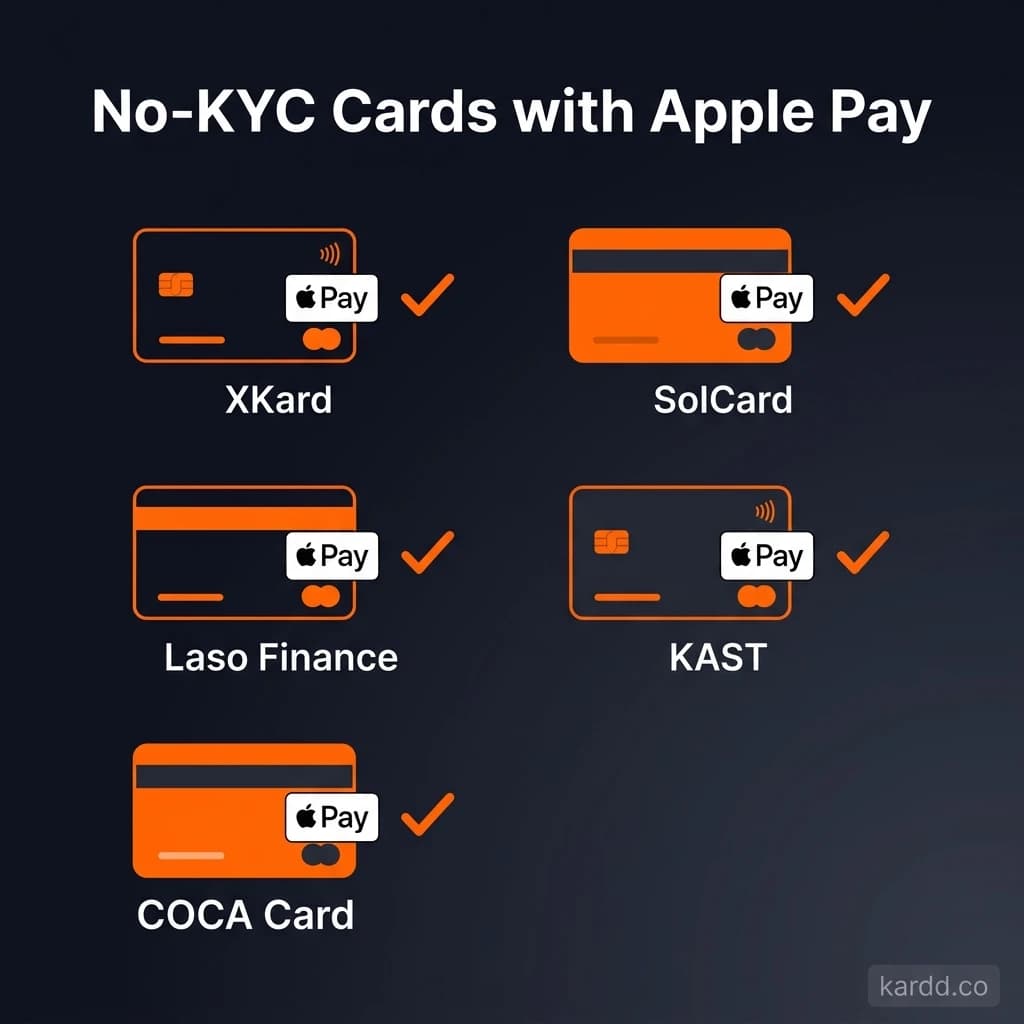
1. XKard — Zero KYC, Apple Pay + Google Pay
XKard is the only card on the market that supports both Apple Pay and Google Pay at zero KYC. No email verification, no phone number, no ID. You fund it with USDT on BNB Chain or TRON, and add the virtual card to your mobile wallet within minutes.
2. SolCard — Zero KYC, Apple Pay + Google Pay
SolCard is built for the Solana ecosystem. It accepts SOL, USDT, and USDC on Solana natively — no bridging required. Like XKard, it requires zero KYC and supports both mobile wallets.
The 5% fee is the trade-off. If you are a Solana-native user who wants the simplest path from SOL to spending, SolCard removes all friction. For larger volumes, the fee adds up.
3. Laso Finance — No KYC, Apple Pay + Google Pay + Samsung Pay
Laso Finance is the only card in this roundup that supports Samsung Pay alongside Apple Pay and Google Pay. It accepts stablecoins across ERC-20, BEP-20, and TRC-20 networks.
The $2,000 monthly cap is the lowest in this group. Laso is best suited for moderate, everyday spending rather than high-volume use.
4. KAST — Minimal KYC, Apple Pay Only
KAST requires minimal KYC — typically just an email and basic info. No passport or selfie. It supports Apple Pay but not Google Pay.
KAST has the lowest fee structure in this comparison at a flat 2%. If you are an iPhone user who does not need Google Pay, the fee savings are meaningful over time.
5. COCA Card — Minimal KYC, Apple Pay Only
COCA Card also requires minimal KYC and supports Apple Pay. It stands out for multi-chain crypto support, accepting tokens across several networks.
COCA is a solid choice if you hold assets across multiple chains and want flexible funding options.
Which No-KYC Crypto Cards Support Google Pay?
Four cards support Google Pay. If you use an Android device, these are your options:
1. XKard — Zero KYC
XKard again leads here. Zero KYC, Google Pay support, and the highest spending limits in this category. It is the default recommendation for Android users.
2. SolCard — Zero KYC
SolCard gives Solana users direct Google Pay access. The higher fee is the trade-off for native SOL support without bridging.
3. Laso Finance — No KYC
Laso Finance offers Google Pay alongside Apple Pay and Samsung Pay. The broadest mobile wallet compatibility of any card in this roundup, though the $2,000 monthly limit keeps it in the everyday-spending category.
4. Bitget Wallet Card — Partial KYC
Bitget Wallet Card is the only card that supports Google Pay exclusively (no Apple Pay). It requires partial KYC — more than minimal but less than full verification. In exchange, you get the lowest fees in the entire comparison.
For Android users who are comfortable with partial KYC, Bitget offers the best fee-to-limit ratio.
Full Comparison Table — Mobile Pay No-KYC Cards
| Card | KYC Level | Apple Pay | Google Pay | Samsung Pay | Fee | Monthly Limit |
|---|---|---|---|---|---|---|
| XKard | Zero | Yes | Yes | No | 2.3-4.5% | $100,000 |
| SolCard | Zero | Yes | Yes | No | 5% | $5,000 |
| Laso Finance | None | Yes | Yes | Yes | 2-3% | $2,000 |
| KAST | Minimal | Yes | No | No | 2% | $3,000 |
| COCA Card | Minimal | Yes | No | No | 2.5% | $3,000 |
| Bitget Wallet Card | Partial | No | Yes | No | 1-2% | $5,000 |
Key takeaway: XKard is the only card with zero KYC, both Apple Pay and Google Pay, and high spending limits. If you need a single recommendation, that is the one.
How Does Apple Pay Work with a Crypto Card?
The process is simpler than most people expect. Here is how it works step by step:
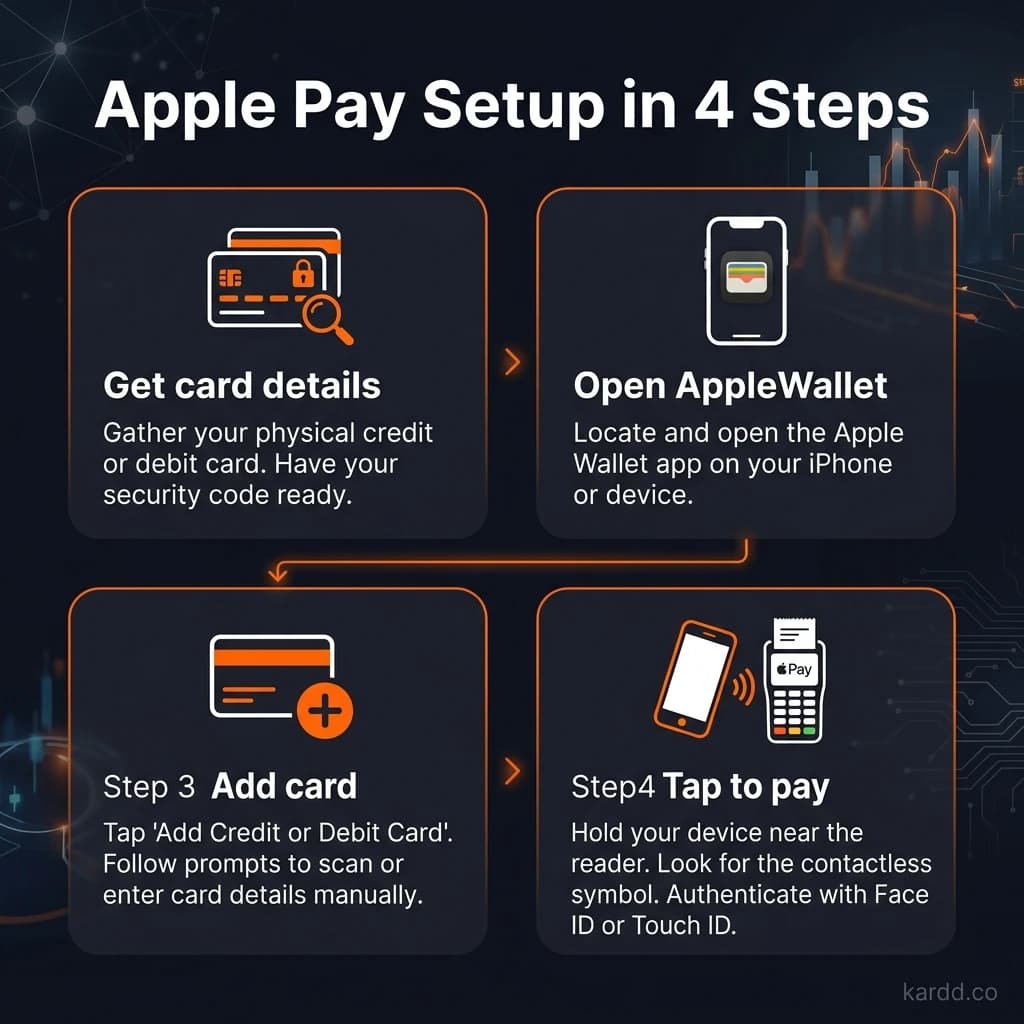
- Sign up for a card. Choose one of the cards above. For zero-KYC options, you will not need to provide any personal documents.
- Get your virtual card details. Once your account is active, you will receive a virtual Visa or Mastercard number, expiration date, and CVV.
- Add to Apple Pay. Open the Wallet app on your iPhone. Tap the “+” button, select “Debit or Credit Card,” and enter your virtual card details. Some cards also support automatic provisioning through their app.
- Fund with crypto. Send stablecoins (or SOL, depending on the card) to the deposit address provided by the card issuer. Funds typically convert to fiat and appear on your card balance within minutes.
- Tap to pay. Hold your iPhone or Apple Watch near any NFC-enabled terminal. Authenticate with Face ID, Touch ID, or your passcode. Done.
The entire setup — from signup to first tap — can take under 10 minutes with a zero-KYC card like XKard.
Can Apple Pay See Your Crypto?
No. Apple Pay has no visibility into the funding source behind your card.
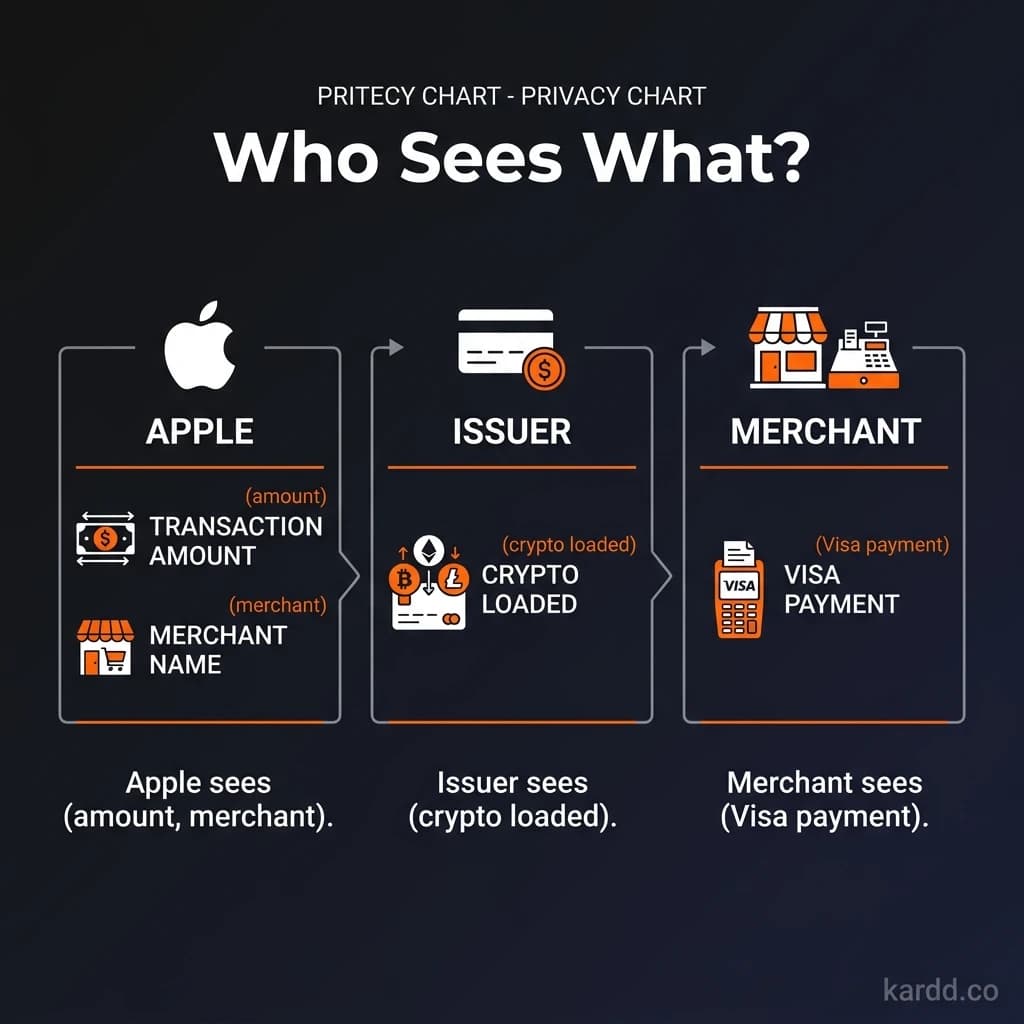
When you add a crypto card to Apple Pay, Apple sees a standard Visa or Mastercard issued by a fintech provider. It does not know that the card balance was loaded with USDT, SOL, or any other cryptocurrency. The tokenization process that Apple Pay uses replaces your card number with a device-specific token — adding another layer of separation.
Here is what each party in the transaction can see:
- Apple: The card issuer name, the last four digits of the card, and transaction amounts. Not the funding source.
- The Merchant: A standard card payment. No crypto information.
- The Card Issuer: Your deposit history (crypto amounts and wallet addresses you funded from).
- Your Bank: Nothing — there is no bank involved if you are using a no-KYC card funded with crypto.
This means the privacy chain from your crypto wallet to the point of sale has fewer intermediaries than a traditional bank card. The card issuer is the only party that sees both sides of the transaction.
For more on the privacy trade-offs between KYC and no-KYC cards, see our guide: No-KYC vs. KYC Crypto Cards — What’s the Difference?
Best No-KYC Card for Mobile Payments
There is no single “best” card for everyone. It depends on what you prioritize. Here are our recommendations by use case:
Best Overall: XKard
XKard is the strongest option for most users. It is the only zero-KYC card with both Apple Pay and Google Pay. The $100,000 monthly limit on the Whale tier means it scales from daily coffee purchases to serious spending. Fees range from 2.3% to 4.5% depending on your plan — competitive for a zero-KYC card.
Best for: Users who want the most flexibility with zero identity verification.
Best for Solana Users: SolCard
SolCard is purpose-built for people who hold SOL and Solana-based stablecoins. No bridging, no swapping to another chain. The 5% fee is higher, but the convenience of native Solana support makes it worthwhile if that is where your funds live.
Best for: Solana-native users who want to spend SOL directly.
Best for Multi-Chain Stablecoins: Laso Finance
Laso Finance supports USDT and USDC across ERC-20, BEP-20, and TRC-20 networks. It is also the only card with Samsung Pay support. The 2-3% fee is reasonable, though the $2,000 monthly limit means it is better suited for everyday purchases than large expenses.
Best for: Users who hold stablecoins across multiple chains and want broad mobile wallet compatibility.
Best Fee Structure: KAST
If you are strictly an iPhone user and your primary concern is minimizing fees, KAST at 2% is the cheapest option. The minimal KYC is lightweight — no passport, no selfie.
Best for: Fee-conscious Apple Pay users comfortable with minimal verification.
For the full ranking across all categories, see our Best No-KYC Crypto Cards in 2026 guide.
FAQ
Do no-KYC crypto cards work with Apple Pay in all countries?
Availability depends on the card issuer, not Apple. Most cards in this comparison work in any country where Apple Pay accepts Visa or Mastercard — which covers over 70 countries. However, some issuers restrict certain regions. Check the specific card’s supported countries list before signing up.
Can I use a no-KYC crypto card at an ATM through Apple Pay?
Generally, no. Apple Pay NFC transactions work at point-of-sale terminals, not ATMs. Some cards offer physical card options for ATM withdrawals, but the virtual card added to Apple Pay is for tap-to-pay purchases only. If ATM access matters, check whether the card issuer offers a physical card option.
What happens if Apple removes my crypto card from the Wallet?
Apple can remove cards that violate its terms, but this is rare for cards issued by licensed fintech providers. The crypto cards in this comparison use standard Visa and Mastercard rails, so Apple treats them like any other debit card. If a card were removed, your funds would remain on the card — you would just need to use the card number directly or request a physical card.
Are no-KYC crypto cards safe to use with mobile wallets?
The mobile wallet layer (Apple Pay, Google Pay) actually adds security. Your real card number is never shared with merchants — Apple Pay uses tokenization to generate a unique device account number. Combined with biometric authentication (Face ID or fingerprint), tap-to-pay is more secure than swiping a physical card. For a deeper look at security considerations, read our guide on whether no-KYC crypto cards are safe.
Final Thoughts
The gap between crypto and everyday spending has never been smaller. No-KYC cards with mobile wallet support let you go from stablecoins to a tap payment in minutes — no bank account, no identity documents, no waiting.
If you want one card that covers both Apple Pay and Google Pay with zero verification, XKard is the clear choice. For Solana users, SolCard removes the bridging hassle. And for multi-chain stablecoin holders who want the widest wallet compatibility, Laso Finance covers all three major mobile payment platforms.
Cards Mentioned in This Guide
Last verified: March 18, 2026. Card details, fees, and KYC requirements may change without notice. Always verify current terms directly with the card issuer before loading funds. Full affiliate disclosure